
If you’re an avid reader of our blogs, then you’ve definitely heard me talk about ordering oil from our FuelSnap website. I typically recommend doing this because our platform allows you to shop around and look at pricing for local dealers in your area. But I’ve rarely shown how this works or what to do. In today’s blog post, I’ll be going over exactly what you have to do!
Step 1: Entering your Zip Code
The very first thing that you should do when ordering oil on our website, is enter your zip code. Doing this will ensure that you’re seeing the dealers in your area. This also helps you get an idea of your area’s pricings, and how much you’re going to want to spend.
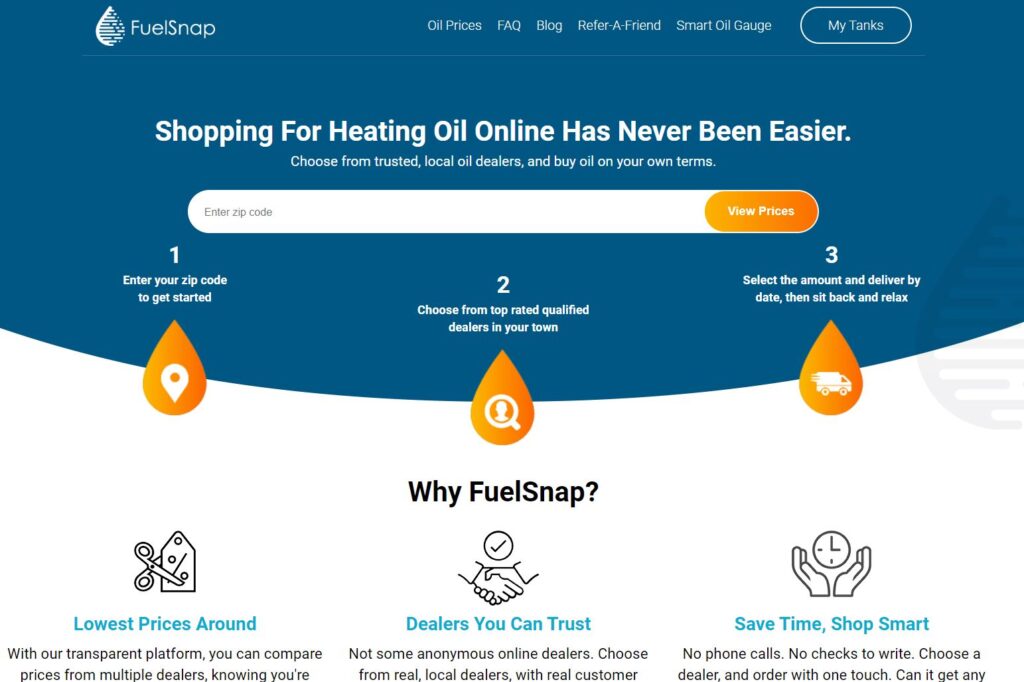
The zip code that you type in should be the zip code for the delivery address. Say for example you have multiple properties, one being in a different state. If that’s the case, make sure that you put in the zip code of the desired delivery address in that zip code bar. This zip code also determines which dealers can deliver to that address.
Step 2: Choose your Dealer and Delivery Amount
After typing in your zip code, you’ll see a list of your local dealers. What you’ll want to do from here is select the dealer you wish to order from. You can look at their prices and available delivery by dates to determine when’s the best to order. Select the one that offers you the best price and most convenient delivery date.
After selecting dealer and deliver by date, you can choose how much gallons that you wish to order. You can choose the amount you wish to order, but it’s also good to know that some dealers will offer a difference in price depending on how much you order. For example, with some dealers, the price might be 2.99 a gallon for 150+ gallons. But that same dealer might charge 3.05 for 100-150 gallons of heating oil. So be sure to be mindful of that when placing the order.
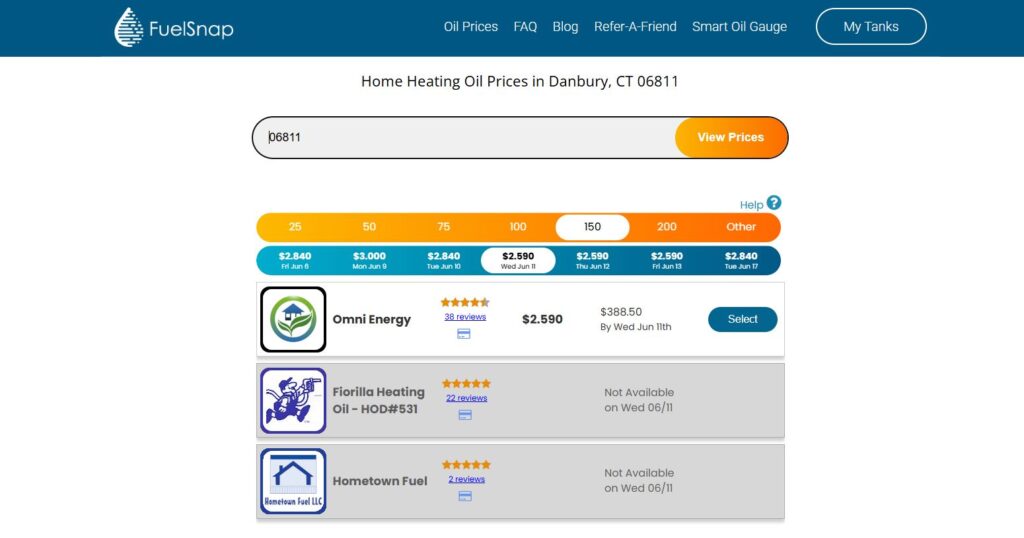
It’s also important to know that when ordering oil on our FuelSnap website, once you’ve placed the order, your price per gallon is locked in. So if the cost per gallon goes up the day after you delivered, then the dealer must give you the price per gallon of the ticketed amount.
Step 3: Delivery Address and Location of the Tank
Now, while this is probably self-explanatory, the most important part of this process is the delivery address. The driver won’t be able to deliver without this! This information is crucial to ensure that the driver delivers to the right house! Where the tank is located is also an important part of the order as well. Including the tank location makes it easier for the driver to understand where the tank is and what to look for.
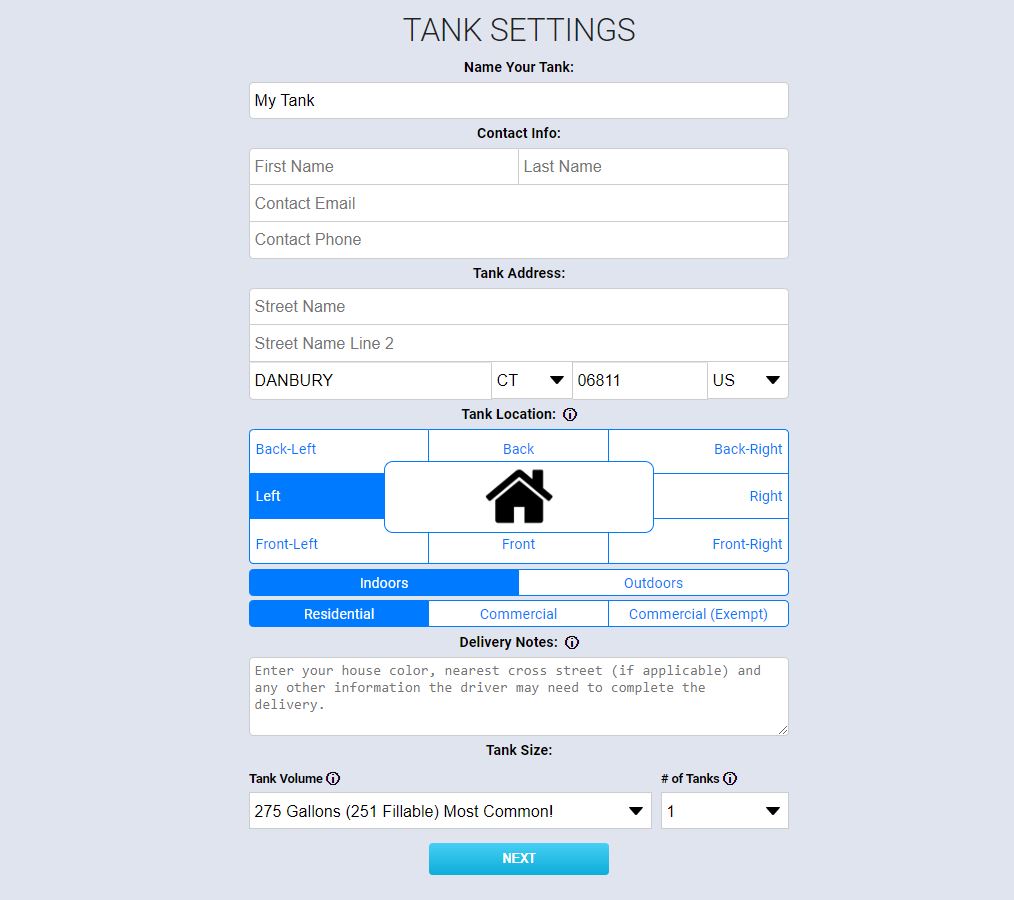
It’s also important that you include contact information on the ticket. This is often a phone number and email. Providing those will allow you to receive the order receipt via email, as well as allowing the driver to contact you via telephone if he needs to!
Tank inspections are another common thing with certain oil dealers. Some oil dealers will require an inspection of your tank. This is often the driver just checking to make sure that the tank itself isn’t leaking and that it’s properly vented. Not all dealers require them, but it’s important that you get one if they require it.
Final Step: Finalizing the Order
The very last thing you should do when placing an order in finalizing it. This requires you filling out the amount of gallons that are being delivered, when they’ll deliver by, confirming your address, and filling out your billing information. It will also show you the total.
On this this screen, you’ll get an alert saying that the tank will require an inspection. But, this is only from dealers that require an inspection before delivery. These will require someone above the age of 18 to be at the home at the time of the delivery. It’s usually the driver that does it.
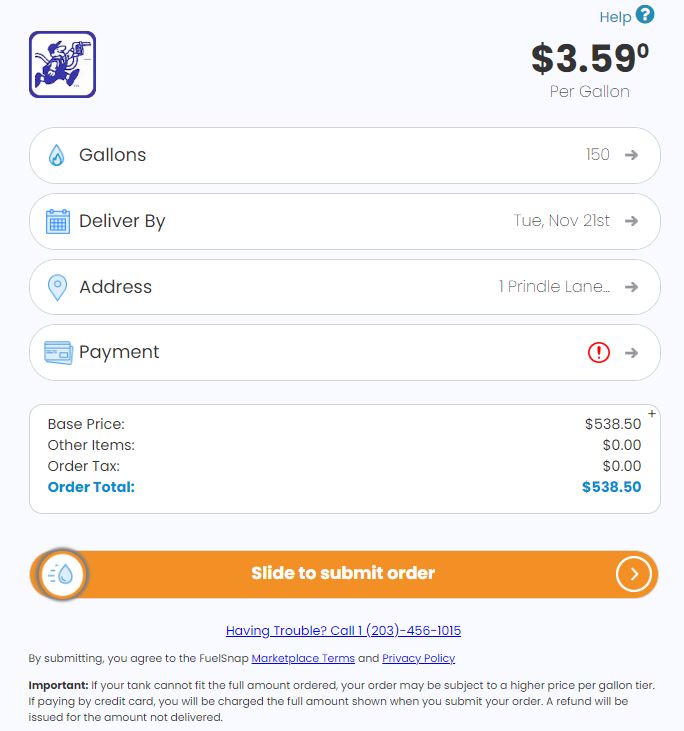
After ensuring all of your order information is correct, go ahead and slide the bar on the bottom to finalize the order! Then you’re done! You’ll receive a confirmation email that has the dealers, contact information, as well as the details of your order.
Concluding Thoughts
Ordering oil on our FuelSnap website is very easy! Especially now that you’ve been equipped with the steps on how to do it and knowing what you need for the order itself! If you follow the above guide, you’ll know what to do when you are placing the order!
If you need help, or you wish to speak with someone over the phone and place the order, feel free to do so! You can reach our support at 203-456-1499 option 3 or 203-456-1015, Monday through Friday, 8am-5pm EST.